


Direction Mismatch
The controller stopped a move because the movement it detected did not match the direction you selected. The lift, position sensor, or stop switches need to be checked.
Safety first
Release the control and stop using the lift
Turn the key OFF if fitted. Do not repeat an unexpected move to test it. Some manual movement may still be available, so tell other users to leave the lift stopped and contact your installer.
What to do now
- 1
Record the last move
Write down whether you pressed UP or DOWN and which way the lift actually moved. Do not run another move to collect this information.
- 2
Save the message
Take a screenshot of the alert. Note whether the app’s position indicator moved the same way as the lift.
- 3
Contact your installer
Mention any recent motor, wiring, sensor, or controller work. Leave wiring, sensor direction, and position settings unchanged.
Which message do you see?
- APS Direction Lock: the Atlantis Position Sensor (APS) reported movement opposite to the requested direction. This alone does not show whether the motor wiring or the sensor direction is wrong. Auto and presets are unavailable while the lock is active. A qualified installer must confirm which way the lift actually moved.
- APS Direction Lock — Repeated: the APS direction fault happened again. The controller also marks the lift’s position unsure. Leave Auto and presets off and arrange an installer check.
- Wrong Direction — Stopped: on a lift using Physical limit switches, the opposite stop switch triggered or the starting switch did not release. The controller stops that move and turns Auto off. The installer must check actual travel and both switches before normal use resumes.
Example screens from Atlantis Boater. Names, device details, and settings are samples.
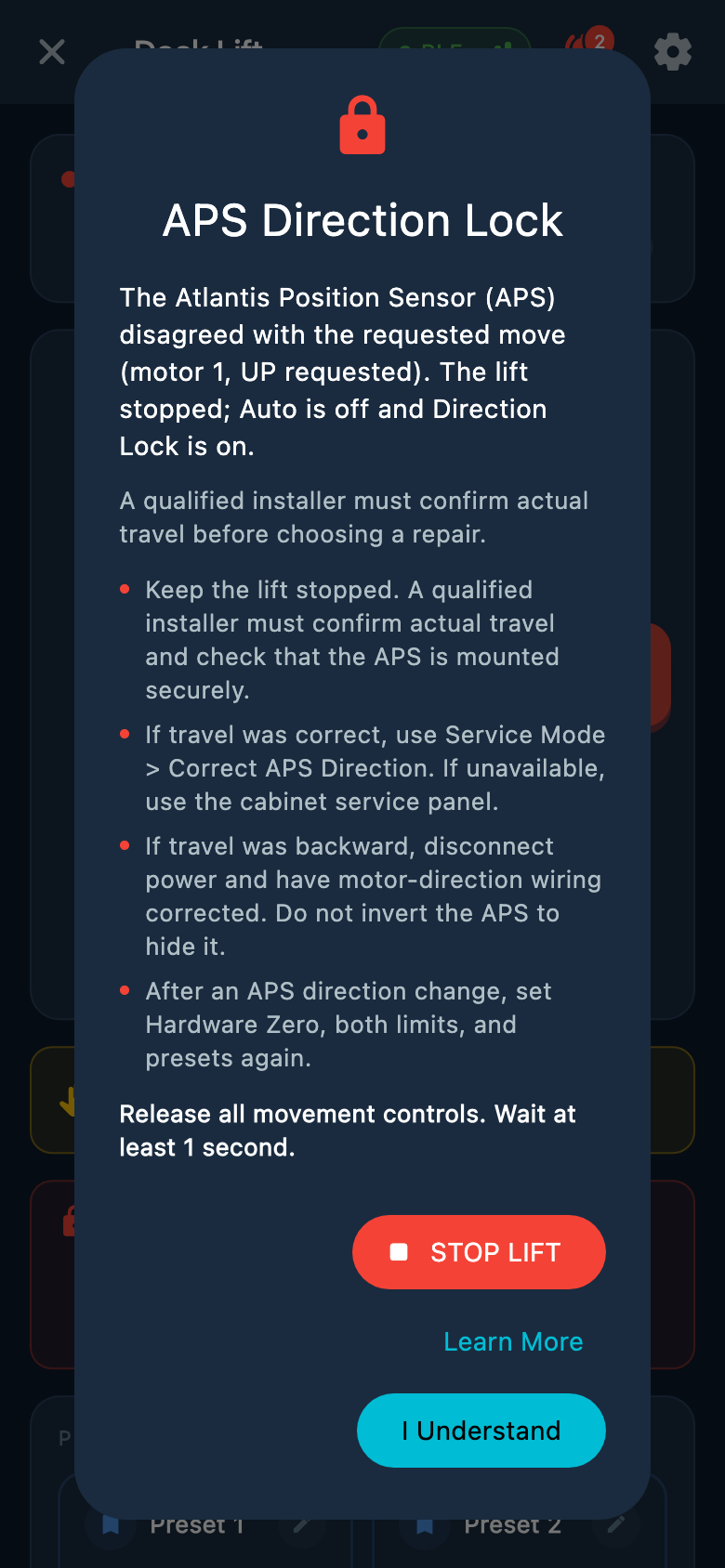
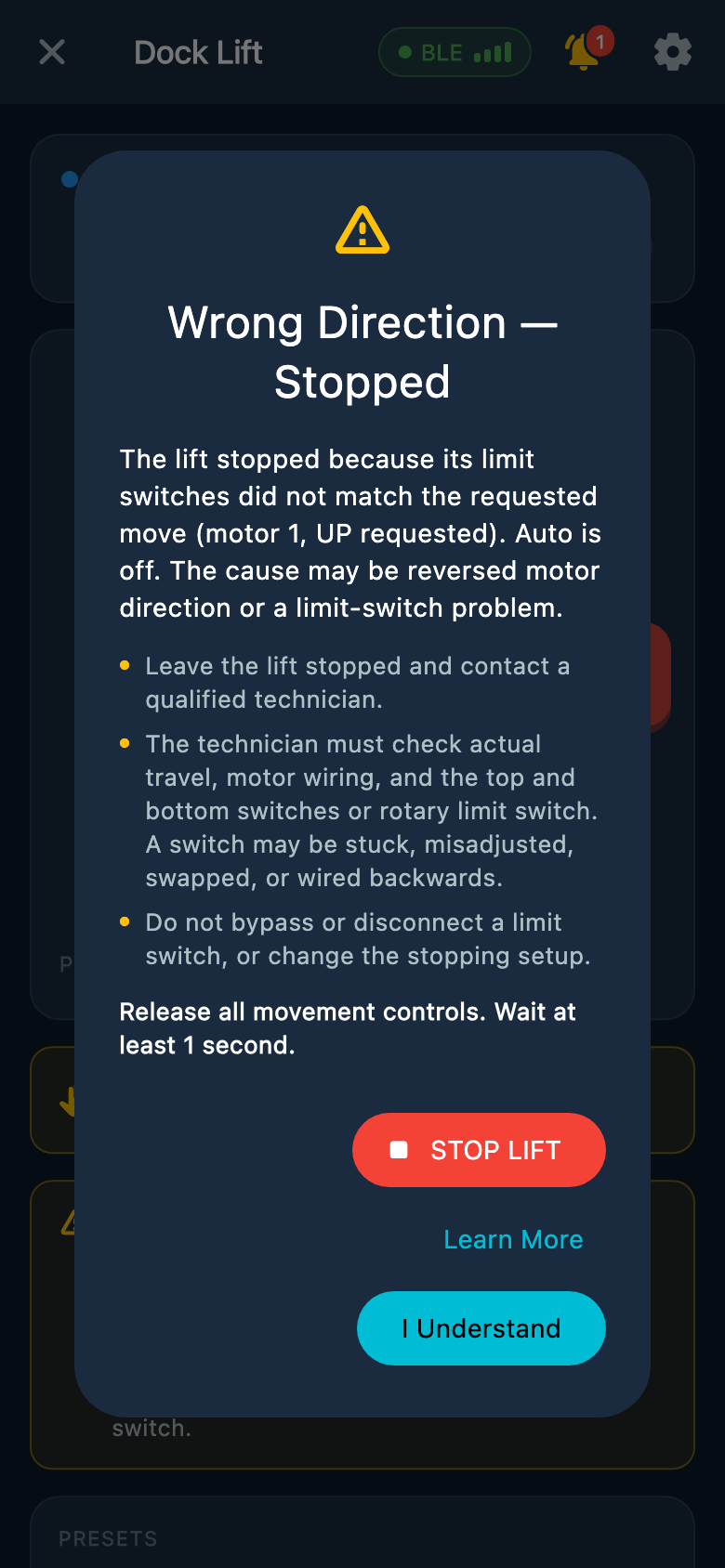
Select an image to enlarge it.
For the installer: check motor direction first
The command must match the lift’s physical movement: UP raises the lift and DOWN lowers it. Use the most recent move you observed, not an earlier move that caused the warning. Changing the APS direction cannot fix a motor that runs backward.
- 1
If you did not see the original move
A qualified technician can make a new controlled check when the lift is safe to move. Keep the lift empty, people clear, and AUTO off. Close any direction popup, use a normal held UP or DOWN control for a short move with safe clearance, then release it and wait until the lift has fully stopped. Watch which way it actually travels. Do not rely on saved stopping points. Refer to this most recent observed move when reporting direction. If it did not move or the sensor could not record its direction, do not confirm an older reading.
- 2
If the lift moved opposite to the command
Correct the motor wiring before changing any APS setting. In a TEC control box, the motor direction is reversed by swapping the orange and black motor output wires. A qualified technician must isolate and verify power is off, identify those motor output wires using the box’s wiring diagram, and complete the change. These are not the incoming power wires or the low-voltage control wires.
- 3
If the lift moved correctly but APS reported the opposite direction
In Atlantis Boater Service Mode, open APS Direction and tap Correct APS Direction to read the latest recorded move. Check that the displayed UP or DOWN command matches the move you just watched. Answer Yes only if the lift physically moved that way. Read the reset warning, then confirm with Change APS Direction. Hardware Zero, both limits, and any presets must be set and tested again after a direction change. If the latest sensor reading already matches, Confirm Direction keeps the saved positions. If the app or firmware does not support the tool, use the cabinet service-panel procedure.
- 4
Check both directions after the repair
With the lift empty and AUTO off, verify that held UP raises it, held DOWN lowers it, and releasing the control stops it. Check the installed stopping system before returning the lift to normal use.
Example screens from Atlantis Boater. Names, device details, and settings are samples.
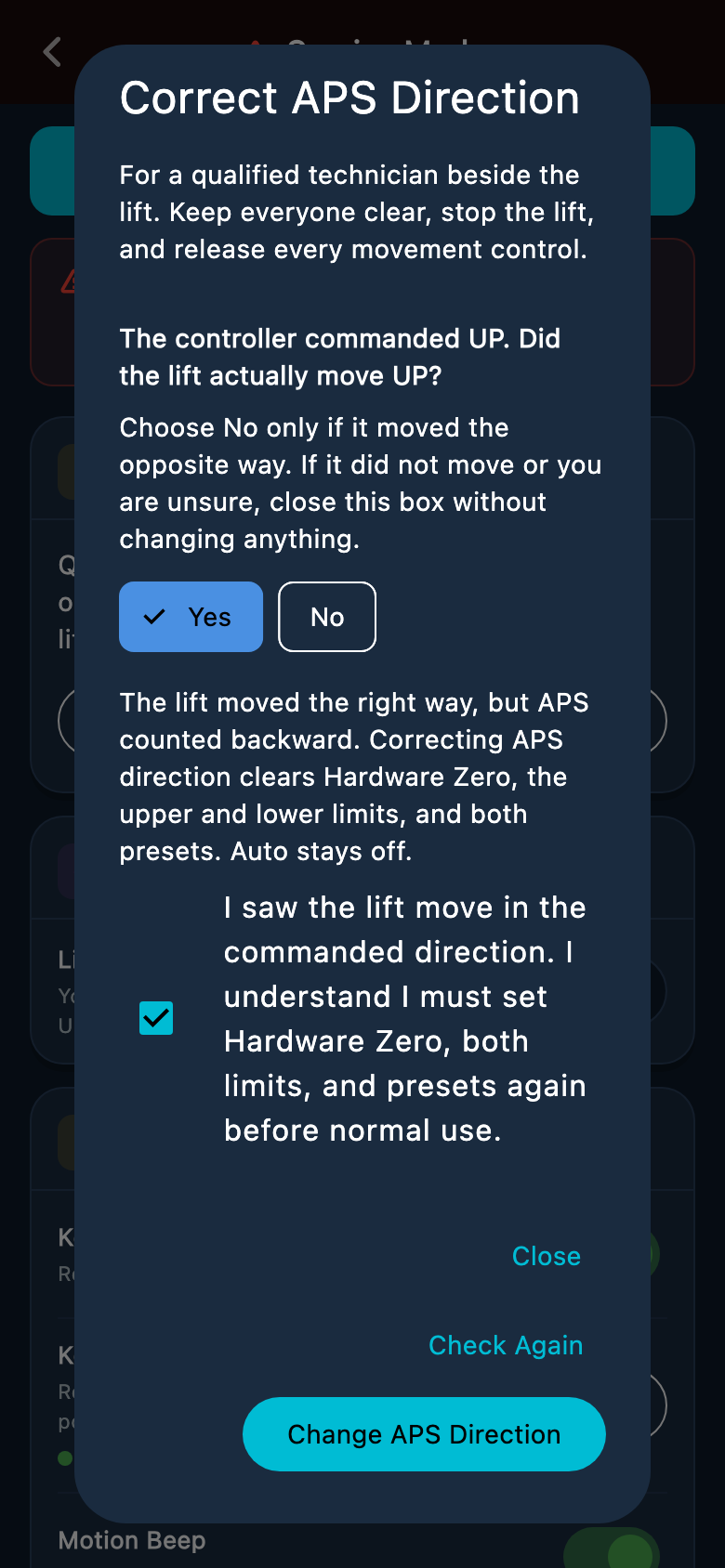
Select an image to enlarge it.
Can the lift still move?
- Limited held-button movement may be available. Use it only under your installer’s direction for recovery.
- During an APS direction lock, each ordinary recovery move lasts no more than five seconds. Release all controls and wait at least one second before another press. Other warnings can prevent movement.
- Saved top and bottom positions may not protect the lift during recovery. Keep it in sight and be ready to release the control.
- Do not reset the controller or change the stopping system to clear the message. A warning that disappears does not by itself confirm a safe repair.
Was this article helpful?
Tell us whether this answered your question.