


Atlantis Boater App Guide
Use Atlantis Boater for everyday lift controls, status, Wi-Fi, updates, and sharing after your installed lift is connected to your account.
Safety first
Keep the lift in sight whenever it moves
- Keep people clear and stay at the controls.
- With AUTO off, hold UP or DOWN to move and release to stop.
- With AUTO on, releasing the button does not stop travel. Press STOP in Atlantis Boater or any button on the paired wireless remote to stop.
- Use only the controls and positions your installer demonstrated. Stop if movement is unexpected or a warning appears.
Everyday lift control
- 1
Confirm the correct lift
Choose your lift, then Open Lift Control. Tap the gear icon (Lift & Device Info) to open Device Settings. Match the Serial Number to the label on the installed controller.
- 2
Keep the lift visible
Remain beside the lift and keep the boat, cradle, cables, and surrounding area in clear view.
- 3
Use the controls your installer demonstrated
Check which stopping system your lift uses in the section below. Use automatic travel only after your installer has tested the stopping points and shown you how it works. Do not change the setup to make your screen look like an example.
Example screens from Atlantis Boater. Names, device details, and settings are samples.
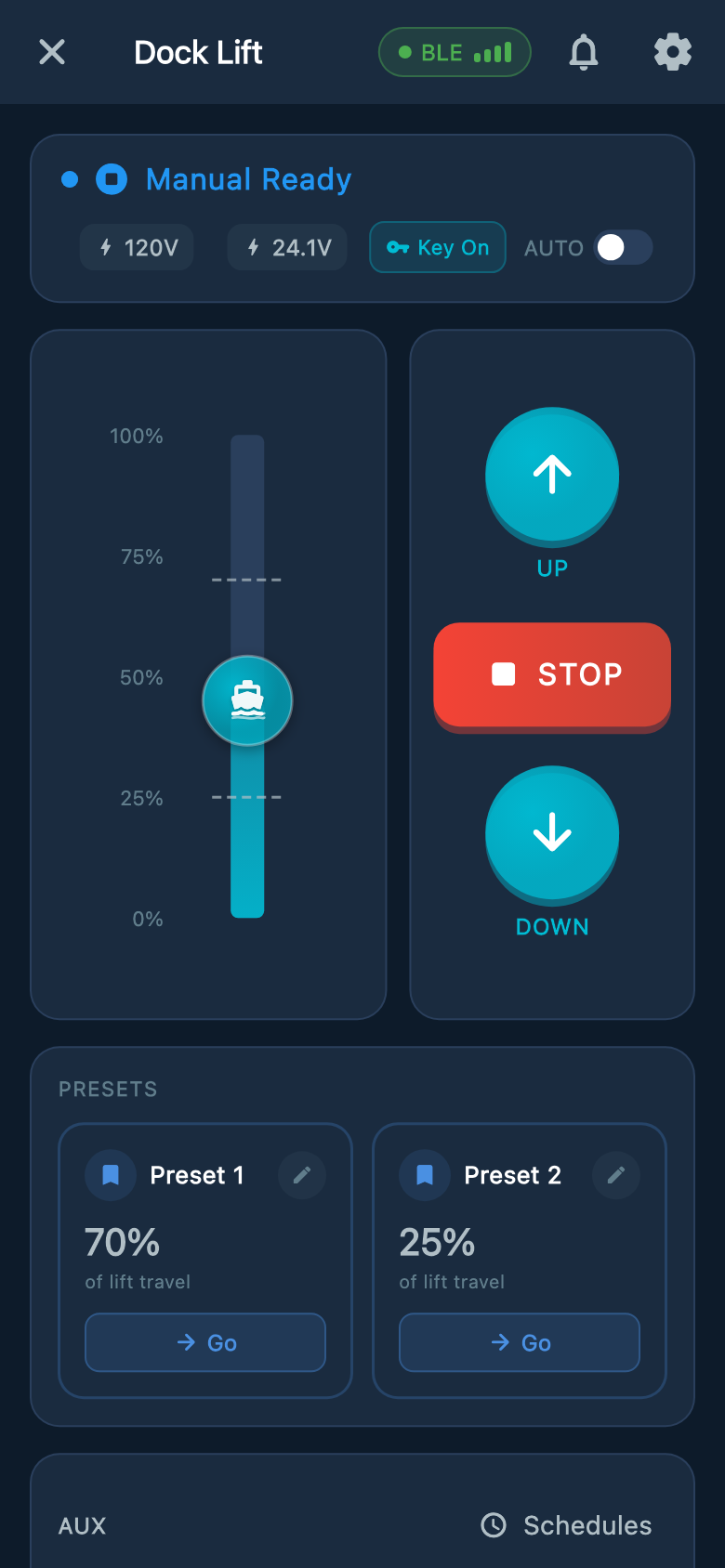
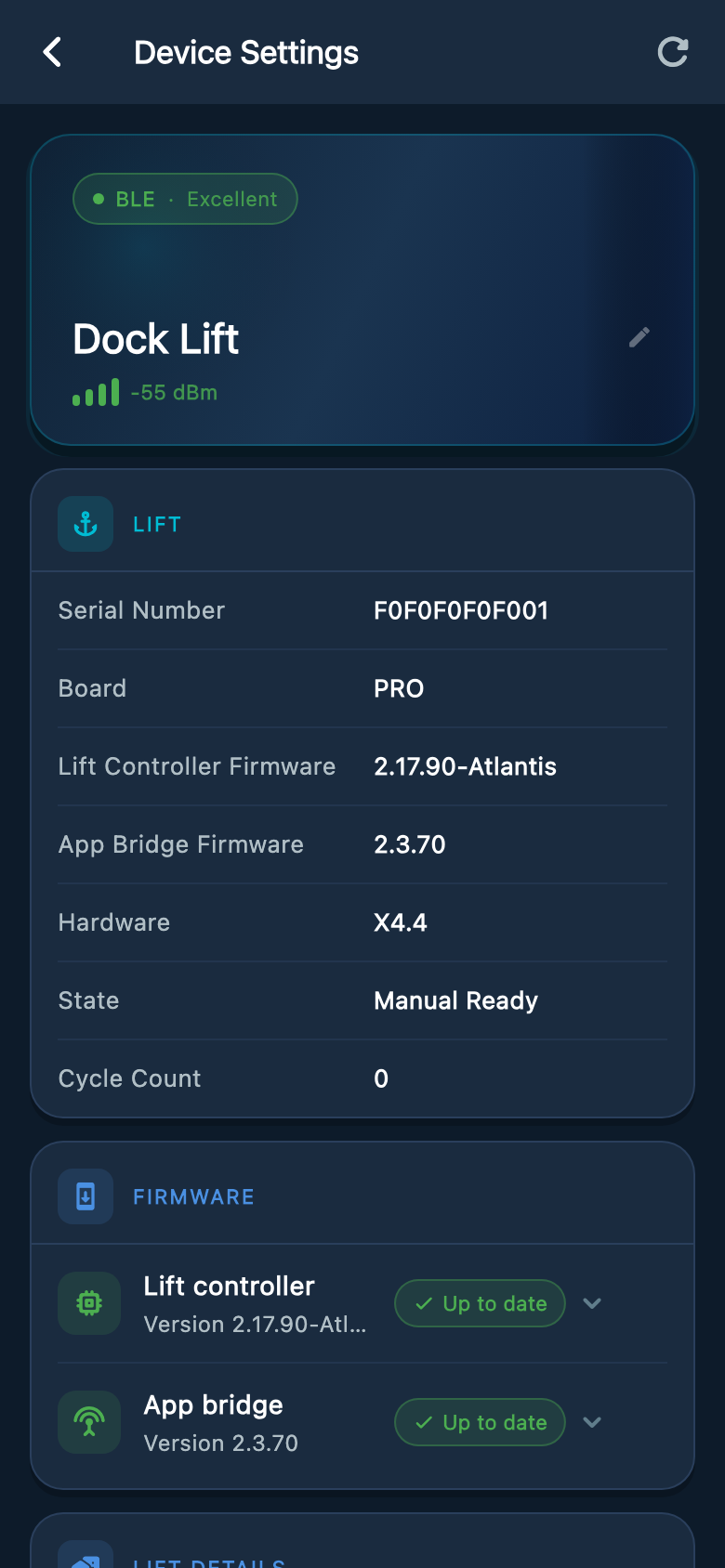
Select an image to enlarge it.
Match the controls to your lift
UP, STOP, and DOWN stay in the same place. The position display, AUTO control, and presets depend on the stopping equipment installed and set up on your lift.
- 1
No limits: manual control only
With Limit Type set to None, hold UP or DOWN to move and release to stop. There is no automatic stop at the top or bottom, so release before the lift goes too far. The timeout also limits each run, but does not know the lift’s height. AUTO is not shown. The dim position graphic says Requires APS or Limit Switches and does not show your actual height. Preset tiles remain visible but cannot be used.
- 2
Physical limit switches with AUTO off
Hold UP or DOWN to move and release to stop. Working limit switches also stop travel at the installed upper and lower points. The position graphic can show an end stop, but it cannot measure height between stops. A boat shown in the middle does not mean the lift is halfway up. Presets and tapping the position graphic are unavailable.
- 3
Physical limit switches with AUTO on
Press UP or DOWN to start travel to the corresponding limit switch. Releasing the button does not stop the move; use STOP to cancel it. AUTO does not add measured height, presets, or tap-to-move. Use this mode only after the installer has tested both stopping points.
- 4
Atlantis Position Sensor (APS)
With APS setup complete and position confirmed, the scale shows position within the saved travel range. With AUTO off, hold UP or DOWN and release to stop. With AUTO on, UP or DOWN starts travel to the saved upper or lower stop. Choosing Go for a saved preset or tapping a target on the position bar requests automatic travel and turns on AUTO when needed. Release does not cancel those automatic moves; use STOP.
Example screens from Atlantis Boater. Names, device details, and settings are samples.
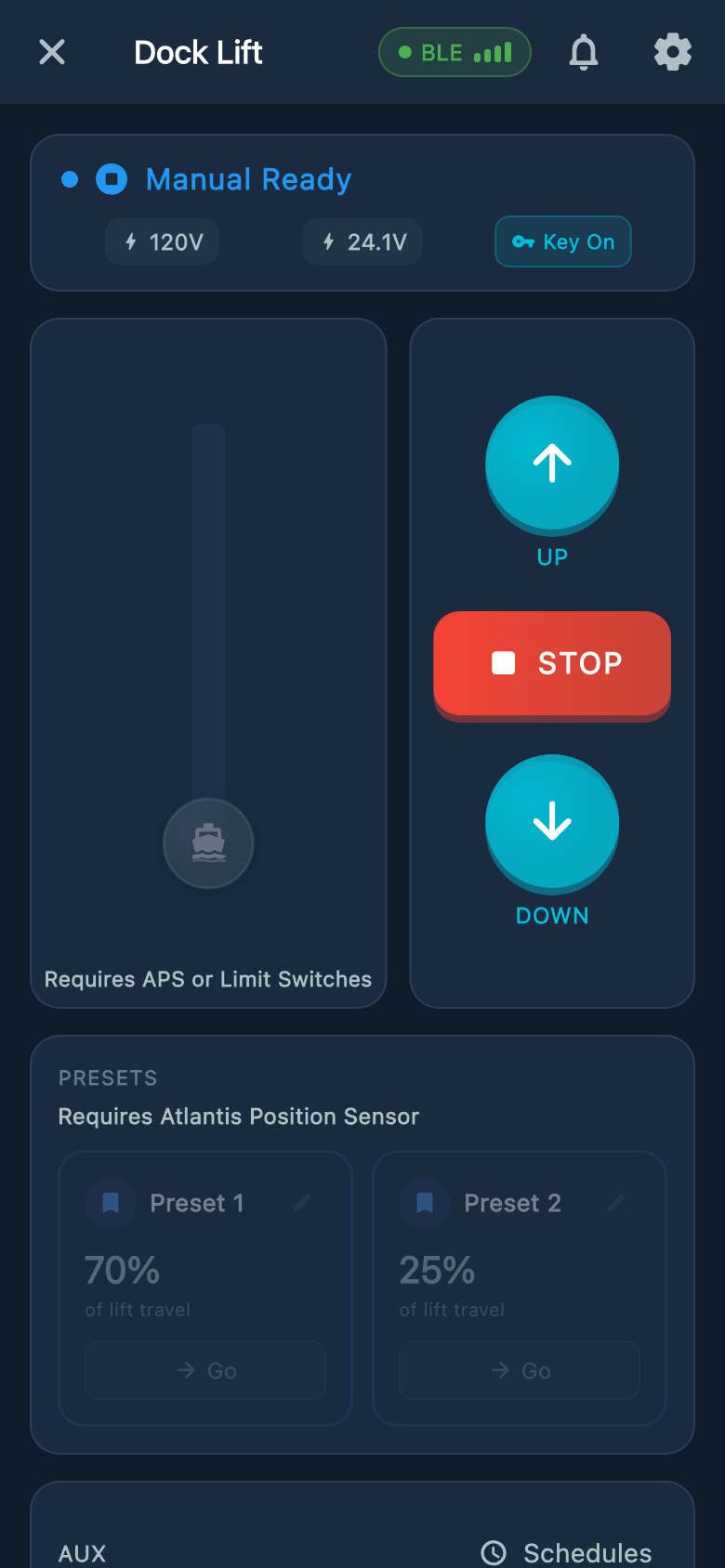
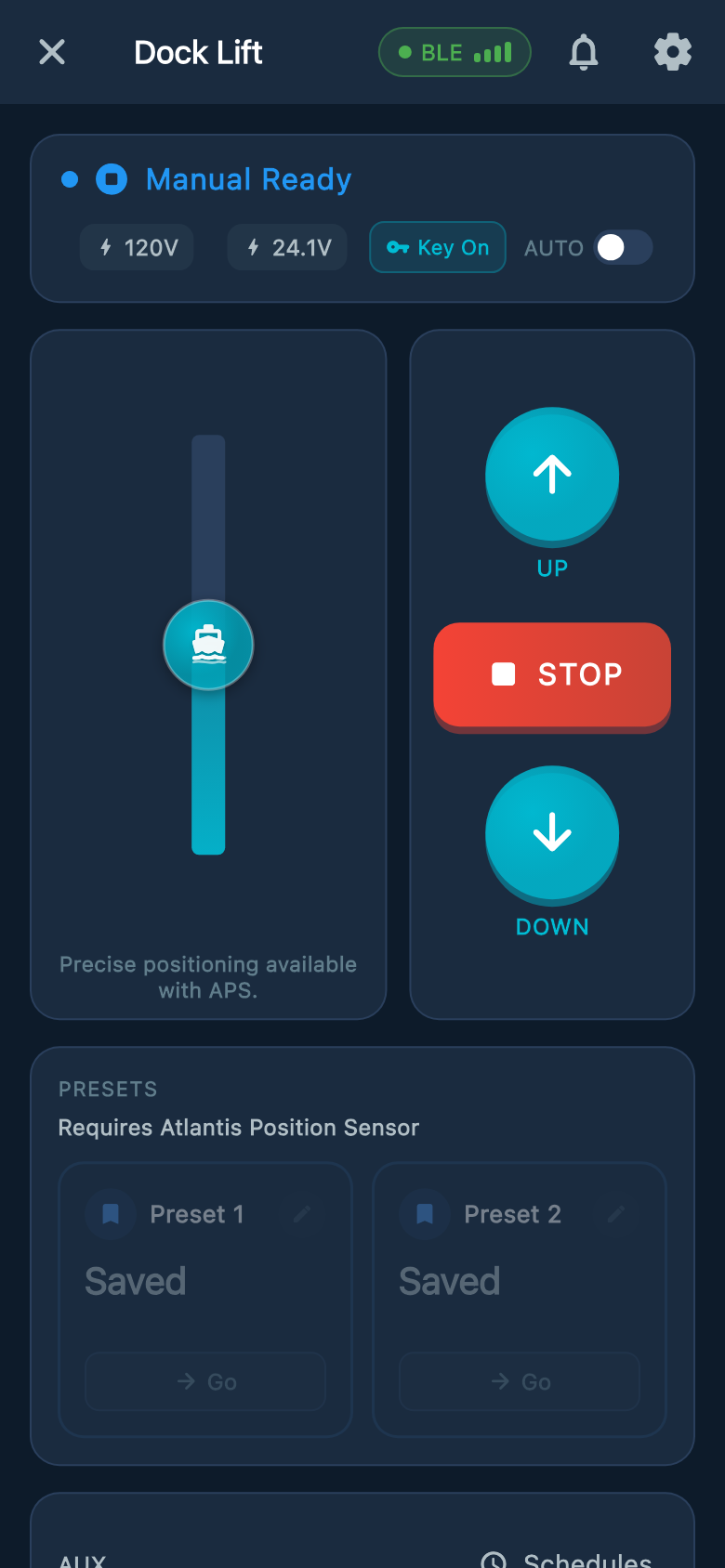
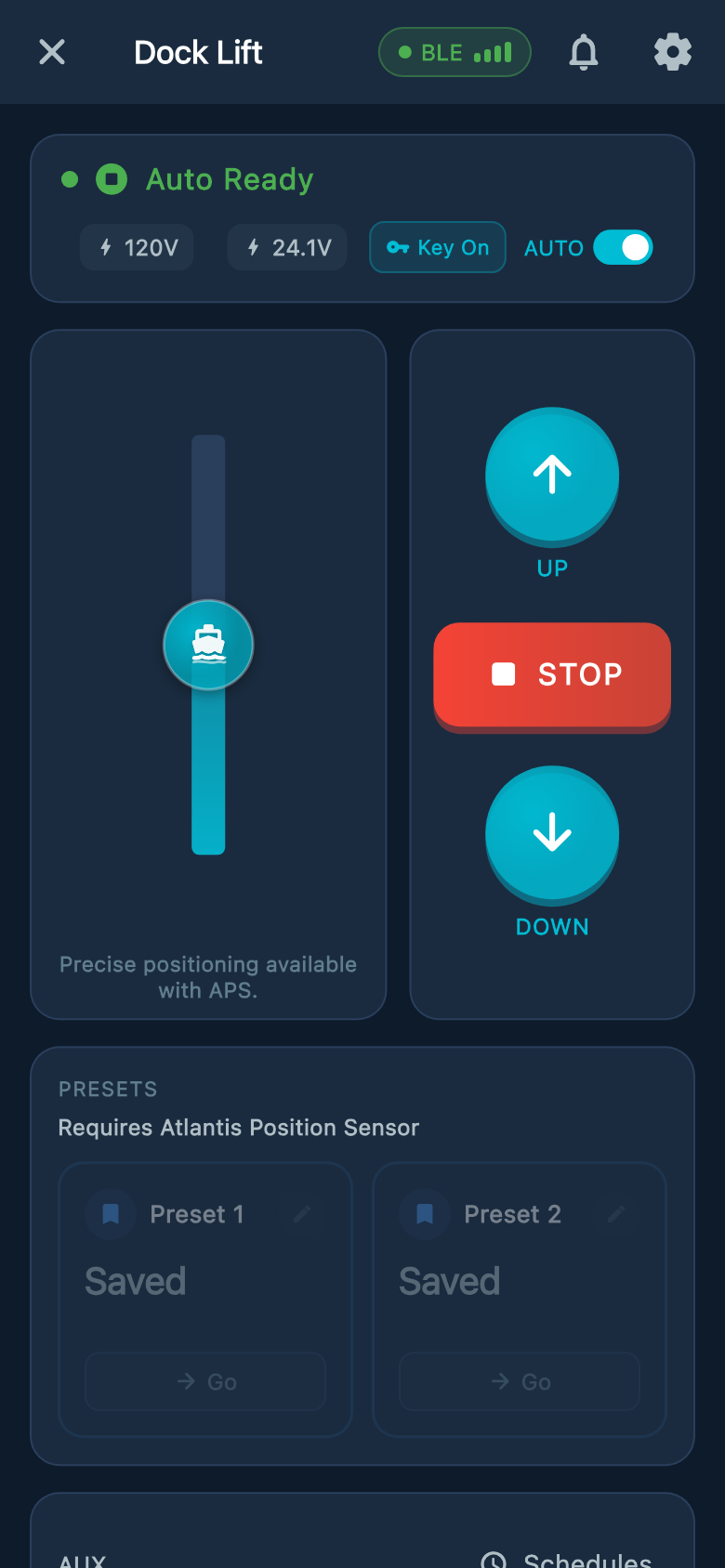
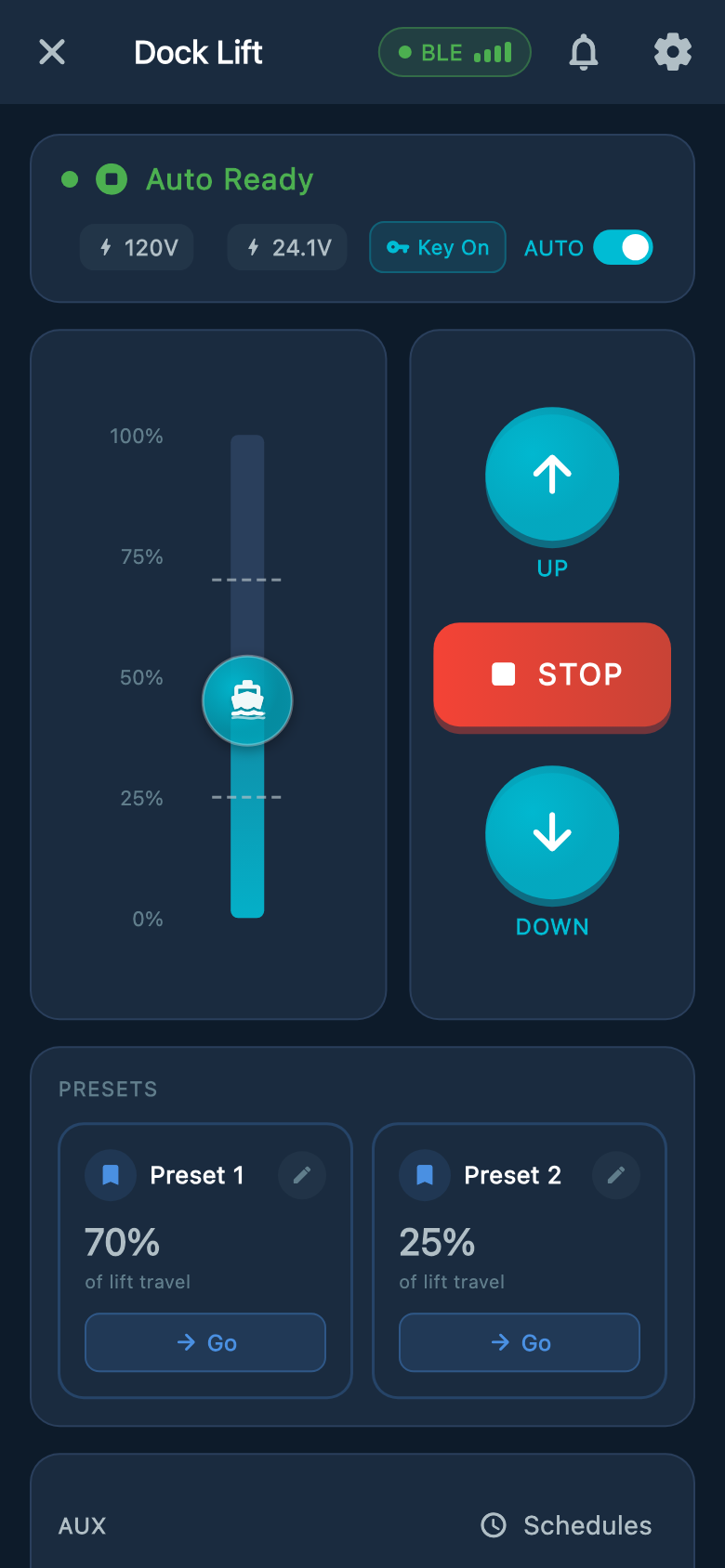
Select an image to enlarge it.
UP, DOWN, AUTO, and STOP
- With AUTO off, press and hold UP or DOWN to move. Release to stop.
- If an APS lift stops after about five seconds while you are still holding the button, release the control and read the warning. The controller may have limited movement because it cannot confirm the lift position or direction. Contact your installer before continuing; see Position Unsure below.
- With AUTO on, pressing UP or DOWN starts travel toward the stopping point set by your installer. Releasing the button does not stop automatic travel; press STOP to cancel it.
- Selecting an app preset or target position turns on AUTO when needed and starts a move. Use only positions your installer has set and tested. Remain at the controls throughout travel.
- Press STOP to cancel a move or pending direction change. A connection indicator is not a safety clearance; read any lift warning before moving.
Installed buttons and key fobs
- Have your installer identify the controls fitted to your cabinet and demonstrate stopping before first use. Keep the lift in sight when using a key fob.
- While stopped, tap the GEM AUX button or key-fob AUX once for AUX1. Tap twice quickly for AUX2. A single tap takes effect after a short pause while the controller waits for a possible second tap.
- With AUTO on, a properly set up APS lift can use the key-fob PRESET button: tap once for preset 1 or twice quickly for preset 2. Keep the lift in sight. To stop, press any button on the paired remote, or tap STOP in Atlantis Boater.
- Use short taps for AUX and for PRESET with AUTO on. Holding PRESET does not save a height.
- With AUTO off, hold the key-fob PRESET button to move toward preset 1, then release to stop. This requires a working APS and a saved, tested preset 1. Preset 2 is not selected this way.
- If the lift is moving, the first physical AUX or PRESET press is used only to stop the lift. It does not toggle an accessory or queue a preset. Release, confirm the lift has stopped, and make a new deliberate request if safe.
Information you can safely check
- The controller name and serial number
- A hardware version of X4.4
- The current connection status
- The visible alert or plain-language status message
When an alert appears
- 1
Stop and read the message
Do not keep requesting movement. Read the full app message and note when it appeared.
- 2
Stop unexpected or erratic movement
Press STOP, release every control, and turn the key OFF if it is safely reachable. If movement continues or safety remains at risk, turn OFF the labeled user-accessible breaker or site disconnect only when it can be reached without approaching the lift, water, exposed wiring, or controller cabinet. Keep everyone clear, do not turn the power back on or test the lift, and call 911 or local emergency services for immediate danger or an unreachable shutoff.
- 3
Perform only safe outside checks
Check the user-accessible breaker, key position, and visible surroundings. Do not open the controller or touch wiring.
- 4
Request qualified help
If the message remains, returns, or involves unexpected movement, contact the installer or Atlantis Support.
Changing Wi-Fi
- Stand near the controller with Bluetooth enabled.
- If you have permission to change Wi-Fi, connect to the lift over Bluetooth, open Lift & Device Info, then WiFi and Update WiFi Settings. This control is unavailable over a remote connection. Marina renters should ask staff for network changes.
- Use the physical APP button only when the app reports that Bluetooth setup is locked. Release at the first magenta blink and short high chirp, about five seconds.
- Choose only the controller whose serial number matches its outside label.
- Do not reset, remove, or reconfigure the controller when a normal network update does not complete.
Firmware updates
- Firmware updates are available to the lift owner or authorized marina staff. If the lift is shared with you, ask the owner or marina staff to update it.
- Open Lift & Device Info to reach Device Settings, then review the Firmware section. Lift controller and App bridge are separate parts with their own update status.
- Use Update now only for the approved update offered by Atlantis Boater, and follow its connection and confirmation prompts.
- Keep the lift stopped, power stable, and your phone nearby until the update finishes. Do not treat update lights or sounds as permission to move.
- Read the final status for each component. If an update fails or does not finish, record the message and contact your dealer or Atlantis Support before attempting manual recovery.
Example screens from Atlantis Boater. Names, device details, and settings are samples.
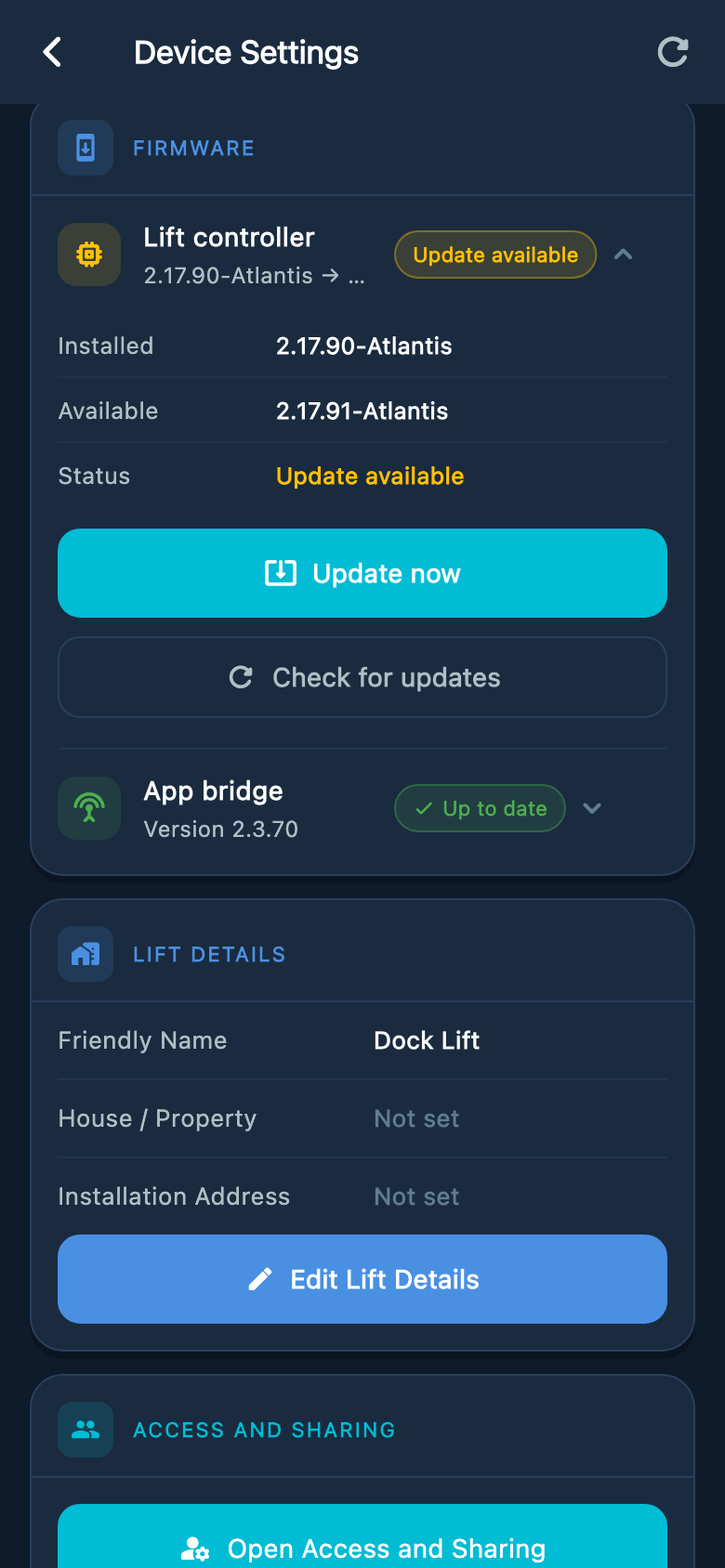
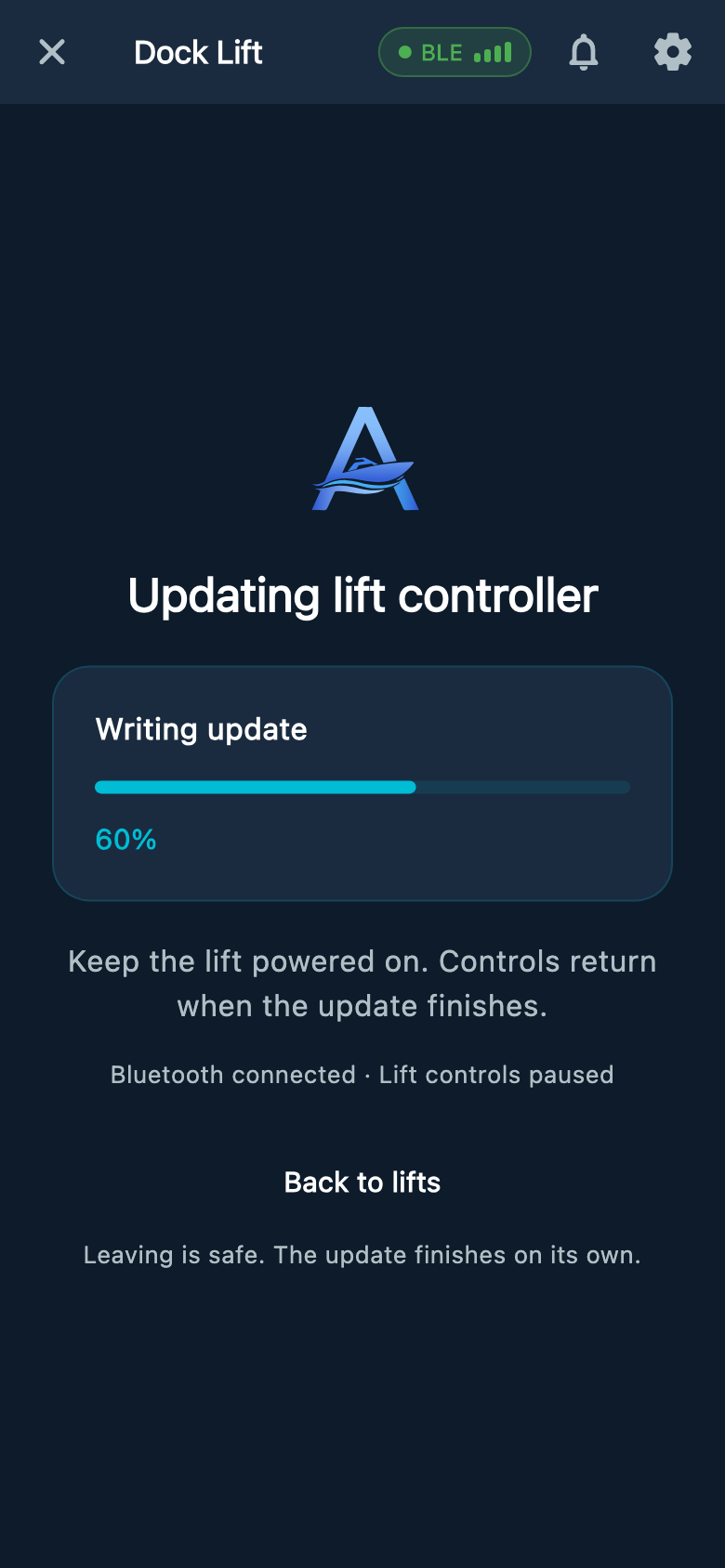
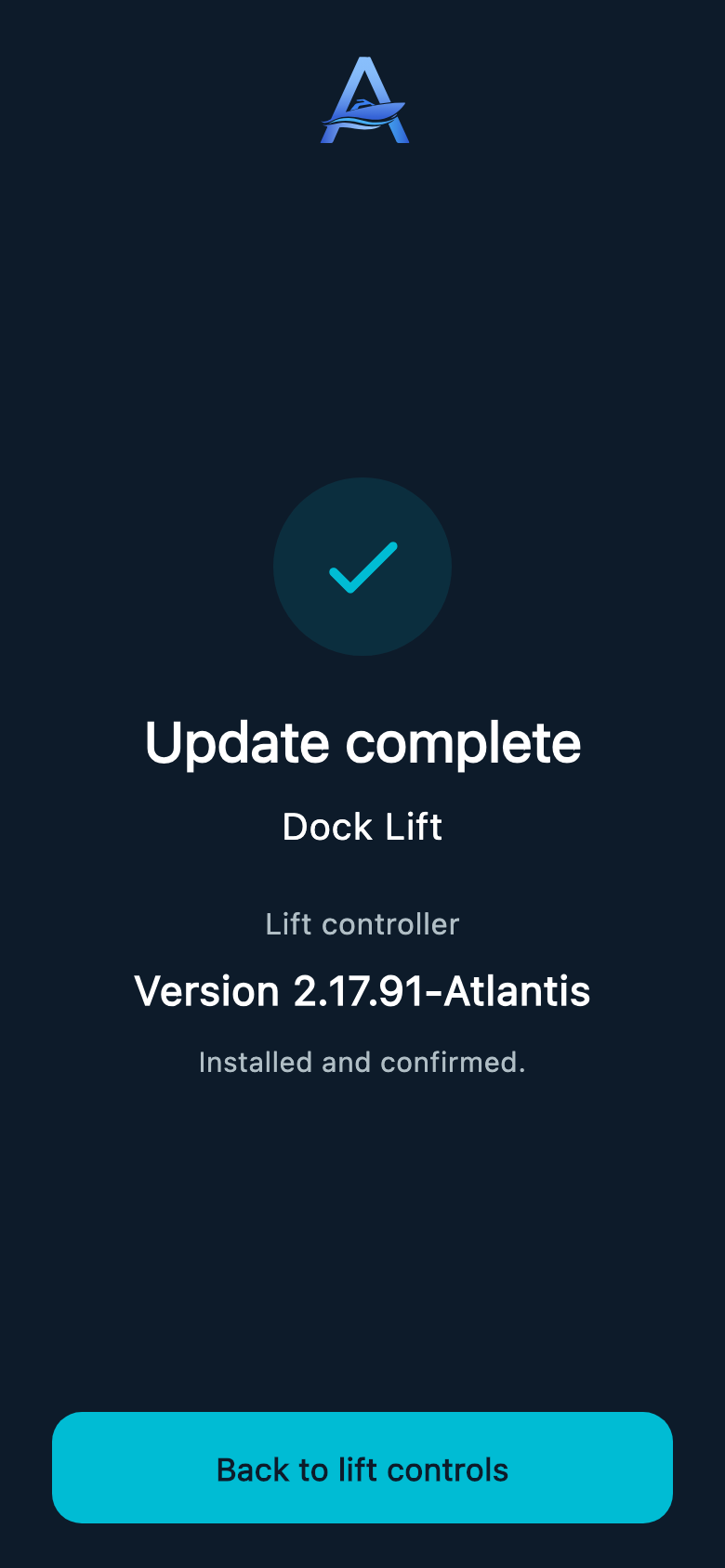
Select an image to enlarge it.
Sharing a lift
- In Settings, open Access and Sharing, choose your lift, then Manage Access and Invite Someone. Each person uses their own Atlantis Boater account.
- Normal shared access includes everyday controls, status, and normal lift settings.
- Service Menu and Factory Reset are separate owner-granted permissions and are off by default. They do not include permission to install firmware updates.
- Shared Bluetooth access requires an internet connection on your phone so the app can check your permission.
- Remove access when it is no longer needed. Never share your account password.
Password recovery
Forgot your Atlantis account login password? Use the existing Forgot password page. No physical APP button press or lift reset is needed.
- Enter the email address used for your Atlantis account. The page sends a single-use password-reset link if the account is eligible to receive one; follow the email instructions before the link expires.
- If the account is locked after unsuccessful attempts, or password recovery cannot finish, contact Atlantis Support for help restoring access. Do not share your password or reset link in chat.
- Password recovery changes login access. It does not remove the lift’s ownership connection, erase Wi-Fi, change stopping points, or reset the controller.
Account and subscription help
- Open Settings, then Plans & subscriptions. Remote Anywhere access is listed as Lift Remote in the app. Boater Tools+ is a separate subscription.
- On iPhone, open Lift Remote to find Restore Purchases and Manage Subscription for App Store purchases. Manage a website purchase through the support site. Shared users do not need a separate plan for the shared lift; marina access is provided by the marina.
- For help, open Help in the app menu, then choose Open Support Center, Email Support, or the support phone number.
- To close your account, open Settings, scroll to Danger Zone, and choose Delete Account. Read the confirmation and any subscription or account issues shown. Signing out or deleting the app does not delete your account. If deletion cannot finish, contact Support.
Installation and configuration
- Controller setup, testing, and repair
- Direction, stopping, position, key, voltage, or safety-system setup
- Electrical measurements, enclosure access, wiring changes, and manual firmware recovery
Before requesting help
- Take a screenshot of Lift & Device Info and the visible alert.
- Record the controller serial number and hardware version.
- Describe what the lift was doing when the alert appeared.
- Tell Support whether direct Bluetooth control and Wi-Fi are available.
Was this article helpful?
Tell us whether this answered your question.